

Here is an uncomfortable truth about accounting automation. It speeds up the process and, unfortunately, leads to mistakes at light speed too.
Most small businesses in 2026 have access to AI-powered categorization, automatic bank feeds, smart invoice capture and one-click payroll. Yet many owners continue to spend their Sundays doing spreadsheets and many CPA firms still have staff typing up data again in March. The problem does not lie with the tools, but rather the order in which they are switched on.
If the wrong item is automated first, the result would be an effective machine that churns out wrong numbers. If the right item is automated first, hours of work are saved as well as improved visibility on cash and reduced compliance risks. The right sequence for automation is provided below, along with some things that most accounting teams are unaware of.
Step Zero: Clean the Foundation Before You Automate
Automation relies on your past actions. If your chart of accounts is overloaded with accounts, you have duplicate vendors and last year’s transactions were recorded inaccurately, all of the effective rules that you implement will be of no use.
What remains about this issue unsaid is that categorization systems do not repair poor input data, they mimic it. Therefore, if the word “Amazon” was assigned in the last 1.5 years to office supplies, software, and owner draws, the system will start accepting all three as valid.
Follow these three steps before activating any rules:
- Restrict your chart of accounts to the categories you really need for decision-making.
- Combine all the vendors and clients with similar information.
- Make sure you have reconciled your records for at least the last 12 months.
If your books are behind, getting them current is a project of its own. A team that handles outsourced accounting and bookkeeping can run a cleanup first, so your automation starts from a trustworthy baseline.
Automation 1: Bank Feeds and Transaction Categorization
This is a huge win for us. Bank feeds eliminate the need for any manual entry, and 70-80% of all transactions are handled by rule-based classification. This includes subscriptions, rent, utility payments, and deposits made by card processing companies.
What many teams fail to appreciate is the issue of rule drift. This means that a supplier modifies the way it describes a bill or something similar happens; the card is reissued and the system mistakenly categorizes a transaction. Nobody notices this because no one gets an error message. The numbers just get slightly inaccurate every month.
The solution is simple: create an “exception queue” and check it once a week. Anything classified by a system with a low level of confidence and anything above some particular dollar amount will get a human review.
Automation 2: Bank Reconciliation
When your feeds are clean, auto-matching accomplishes the job in minutes instead of hours. An important point is that a reconciliation that ties out tells you only that your books agree with the bank. Being congruent does not mean your books are accurate. A payment and a refund being recorded twice will match.
Real problems are uncovered only by the age of unmatched items. Items staying unmatched for 30, 60, or 90 days are where unrecorded liabilities or missing deposits are hiding. Ask your team to report not only on the reconciliation status but also on the turnaround time of unmatched items.
Automation 3: Payables, Receivables and Vendor Compliance
It is the point where small businesses recover the most time and cash.
- Accounts payable: invoice capture tools read the invoices, code them, and submit them for approval. Give a simple rule of approval, say over a certain dollar amount goes to the owner, and you have speed and control.
- Accounts receivable: reminders sent at regular intervals (the first nudge before the due date, a more serious one after) cut collection time with no embarrassing phone calls. Customers seldom object to reminders. They object to surprises.
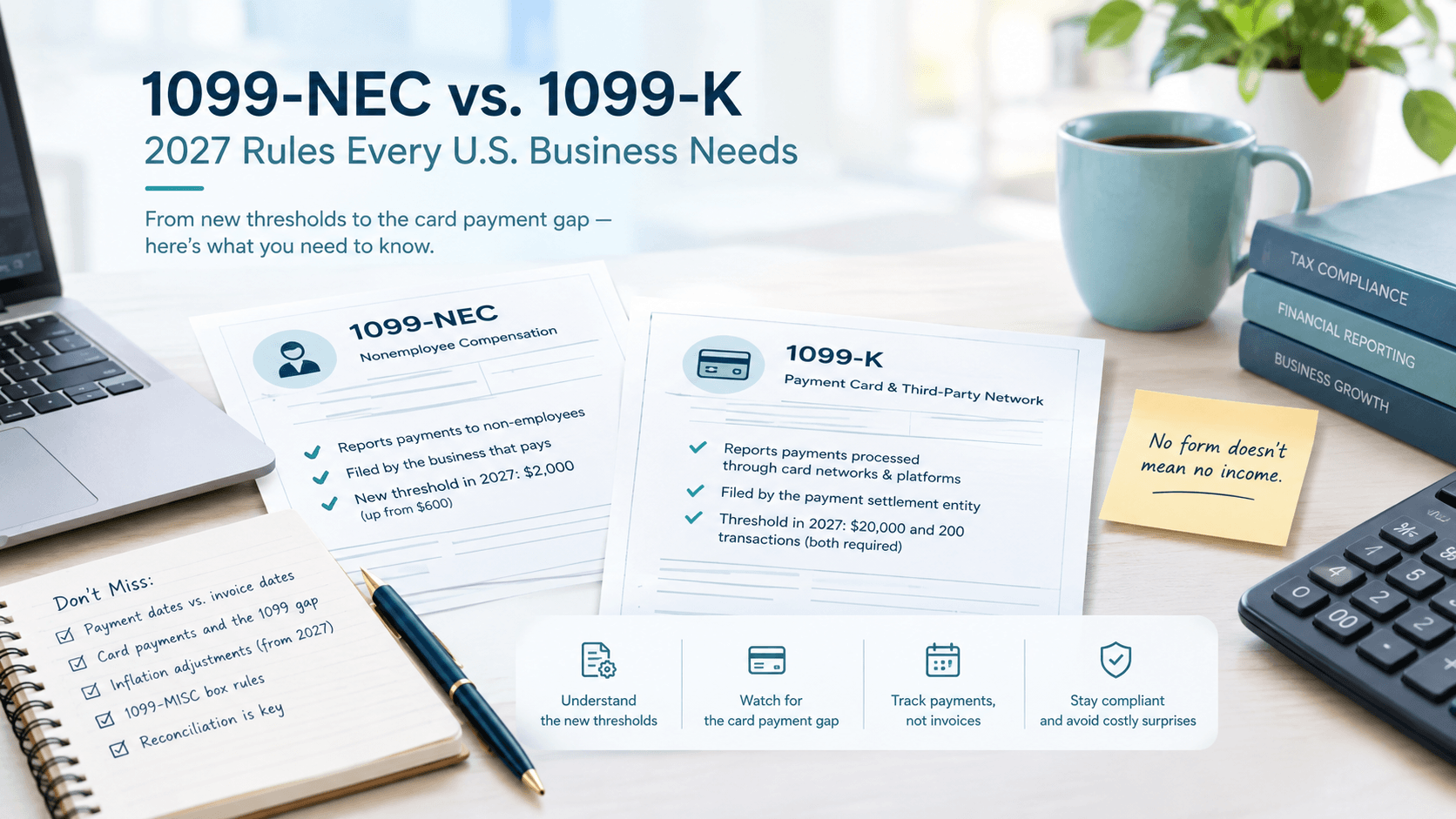
This is where many companies have not kept up. Starting in 2026, the reporting threshold for Form 1099-NEC and 1099-MISC changed from $600 to $2,000. Many companies and some practitioners are still working from the old number, over-collecting paperwork, or building their vendor workflows around a threshold that no longer applies. Check the current IRS guidance for your circumstances, then automate W-9 collection at vendor onboarding, so year-end is not a mad scramble.
For a practical year-end review of these areas, the Q4 Bookkeeping Checklist is a good companion read.
Automation 4: Payroll and Payroll Compliance
The role of payroll software is limited when it comes to making calculations and carrying out payments. The fact that small businesses are adopting the software is no secret.
The blind spot of payroll software lies in the fact that while payroll software takes care of the paychecks, it doesn’t help businesses in registering for payroll taxes. The concept of working from home gave rise to issues. For example, if a worker is based in another state, it triggers multiple subtraction protocols, as well as other registrations, none of which the payroll software can assist with. Therefore, many companies only find out about the absence of registration in a particular state when the notice is sent by the state with catastrophic penalties.
The most reliable way to solve this issue is to cooperate with outsourced payroll and compliance services providers.
Automation 5: Sales Tax Calculation and Monitoring
When one engages in interstate commerce, even through an online store, it becomes vital to consider sales tax automation. The tax engines are great for figuring out the right rate. However, they handle just one piece of the equation.
The more challenging aspects of sales tax automation include the ability to:
- Track economic nexus: determining when sales in a particular state trigger tax liability.
- Register in a state prior to the engagement in the sale process.
- Organize exemption certificates for wholesale buyers or charities.
- Figure out compliance filing.
Software solutions can indicate that there is a problem; however, there is still a need for humans who will take necessary actions. There are cases when businesses find out that they established nexus in some states more than a year ago, which creates obligations to multi-state sales and use tax compliance they made but did not collect from their customers.
What NOT to Automate (Yet)
There are several activities that may seem suitable for automation but really require human assessment:
- End-of-month accounting. A computer can create reports, but a person should question if they are actually accurate.
- Estimates and projections. These vary according to the situation that only a person knows.
- Tax strategy. Regulations change and so does the situation.
- Analysis of figures. A data visualization tool shows you the figures, but does not tell you their meaning or what steps to take.
This is where finance support shifts from transactions to decisions. A fractional finance leader, like the ones at Xconcile’s Virtual CFO and FP&A service, can turn automated data into forecasts, cash-flow planning and pricing decisions. For businesses whose tax work is growing more complex, outsourced tax preparation fills the same gap.
A Note for CPA and Accounting Firms: The Bottleneck Has Moved
The implementation of automation has yielded an unexpected benefit for companies. Although the need for data entry has diminished, there is still work to be done. Instead of the bottleneck being the data entry stage of the process, there is now a stage in which the information needs to be confirmed or reviewed.
Staff are now spending less time keying in information and more time dealing with exceptions and responding to client inquiries. In essence, the people that were most efficient at manual data entry are now faced with the task of evaluating the information produced by the automation process.
In some cases, firms will increase the amount of accounting software they use. Instead of resorting to buying more tools, firms can resort to building more experienced and knowledgeable staff that will be able to perform reviews of the programs’ output.
This matters most before the busy season. With the 2027 filing season approaching, firms that sort out capacity now avoid the usual scramble. The guide on preparing your accounting firm for the 2027 tax season walks through the planning side. If you need extra hands, Xconcile also lets you hire a bookkeeper or accountant who works as an extension of your team.
Your 90 - Day Automation Roadmap
You don’t need to do everything at once. Here is a sensible order:
- Days 1 - 30: Foundation. Clean up the chart of accounts, merge duplicates, reconcile the past year and connect bank feeds.
- Days 31 - 60: Core workflows. Add categorization rules and an exceptions queue, then turn on auto-matching for reconciliations. Start automated invoice reminders.
- Days 61 - 90: Compliance and control. Confirm payroll registrations in every state where employees work, review your sales tax nexus exposure, set up W-9 collection and establish a monthly review routine.
At the end of 90 days, you should be spending less time on data entry, getting reports sooner and facing fewer unpleasant surprises at tax time.
The Takeaway
Automation is not a replacement for accounting expertise. It is a multiplier. Multiply clean books and sound processes, and you get speed and clarity. Multiply messy books and unchecked rules, and you get errors at scale.
The businesses that win in 2026 won’t be the ones with the most tools. They’ll be the ones that automate the right things in the right order and keep skilled professionals involved where judgment counts.
If you’re unsure where your business or firm stands, you don’t have to figure it out alone. Xconcile supports CPA firms and growing businesses with bookkeeping, payroll, tax, audit support and CFO advisory. Schedule a meeting for a no-pressure conversation, or contact the team and tell them what you’d like to automate first.